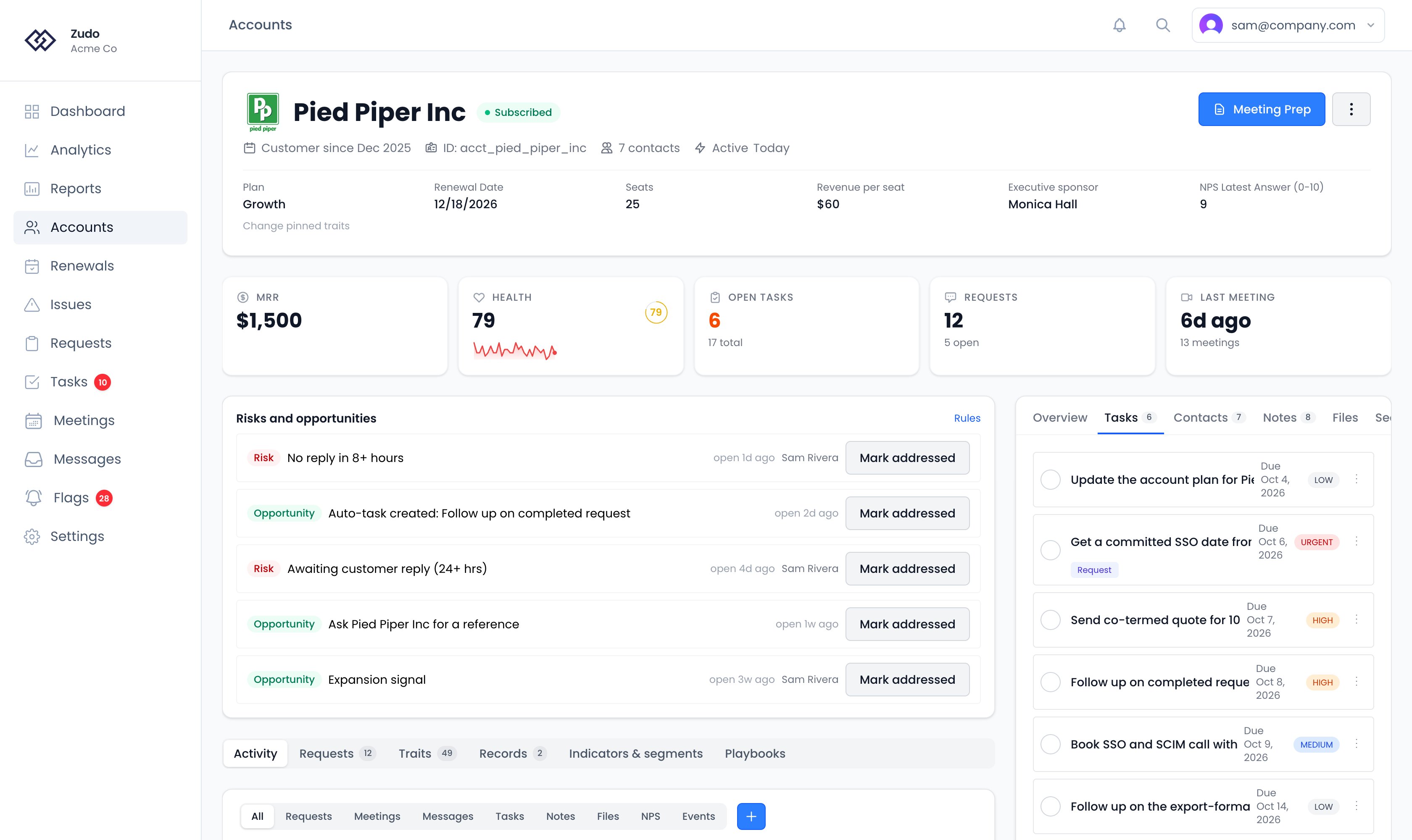
Task fields
Creating tasks
From the Tasks page — Click New Task to open the task form. Fill in title, priority, status, and optionally a due date and description. From an account — On the account’s Activity tab, click + and choose Add Task, then type a title, set priority and due date, and submit. Or type into Add a new task… on the Tasks tab in the account’s sidebar. Either way, the task is automatically linked to that account. Automatically — Zudo creates tasks on your behalf in two cases:- Health tier drop — When an account’s health score falls into a lower tier, Zudo creates a high-priority task like “Health score dropped to ‘Critical’ for Acme Corp” and assigns it to the account’s owner. You’ll also get an email notification.
- Request completed — When a request is marked Done, whether in Zudo, over the API, or because its linked Linear issues or pull requests finished, Zudo creates a “Follow up on completed request” task for each account on it. Each task goes to that account’s CSM, or its parent account’s CSM, then the organization’s fallback CSM, then the request’s owner, who also gets an email. Ignored accounts are skipped, and an account that already has a follow-up for the request doesn’t get a second one. This doesn’t depend on any connection.
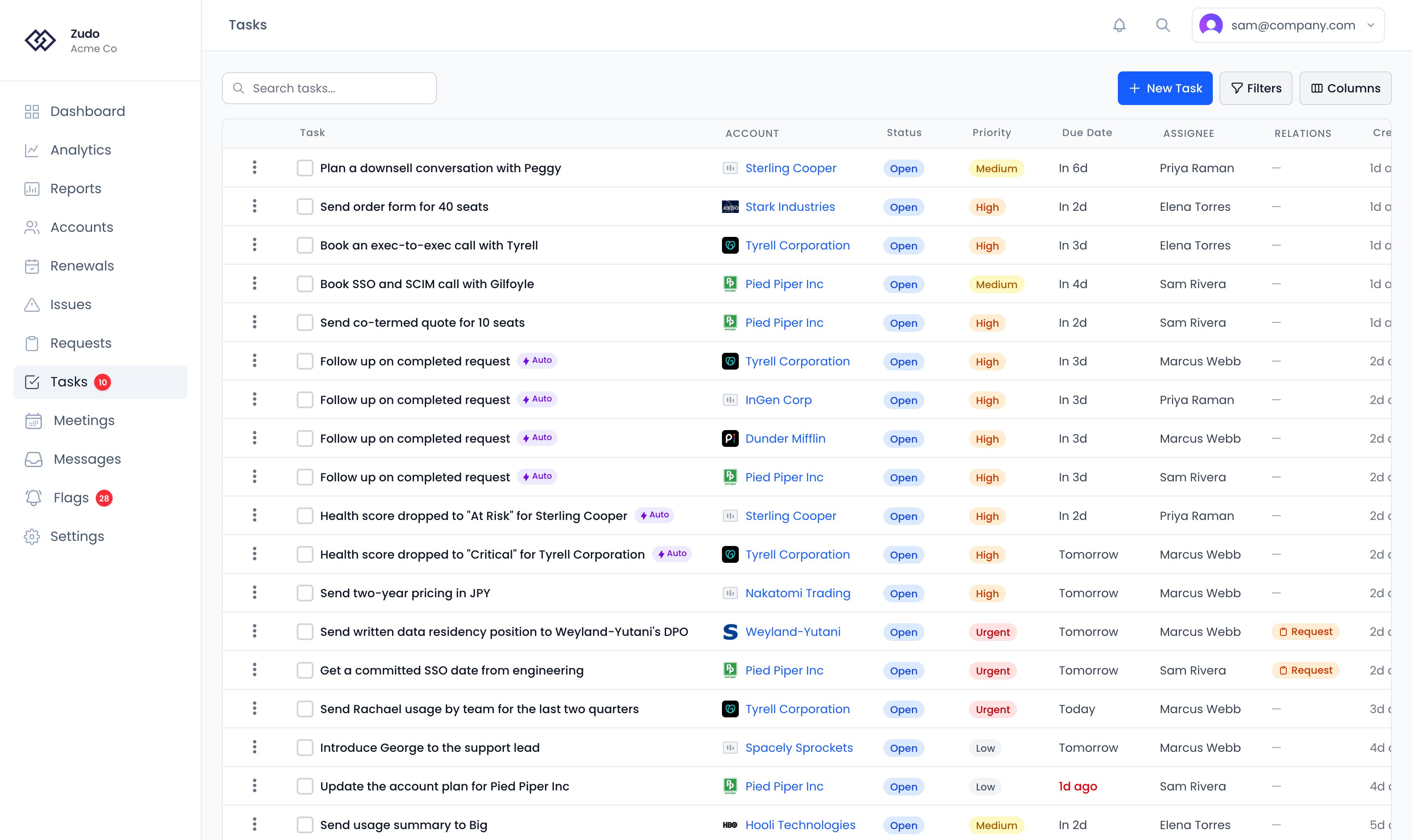
Tasks table
The table shows title, linked account, status, priority, due date, assignee, relations, and created date. Columns are sortable, reorderable (drag to rearrange), and can be shown or hidden via the column visibility menu.Filters
All filter, sort, and column preferences persist across sessions.
Tasks on an account
Tasks linked to an account appear as timeline items alongside meetings, emails, and notes. You can toggle a task’s status directly from the timeline. The Tasks tab in the account’s sidebar lists the account’s tasks on their own, with a box to add one.