
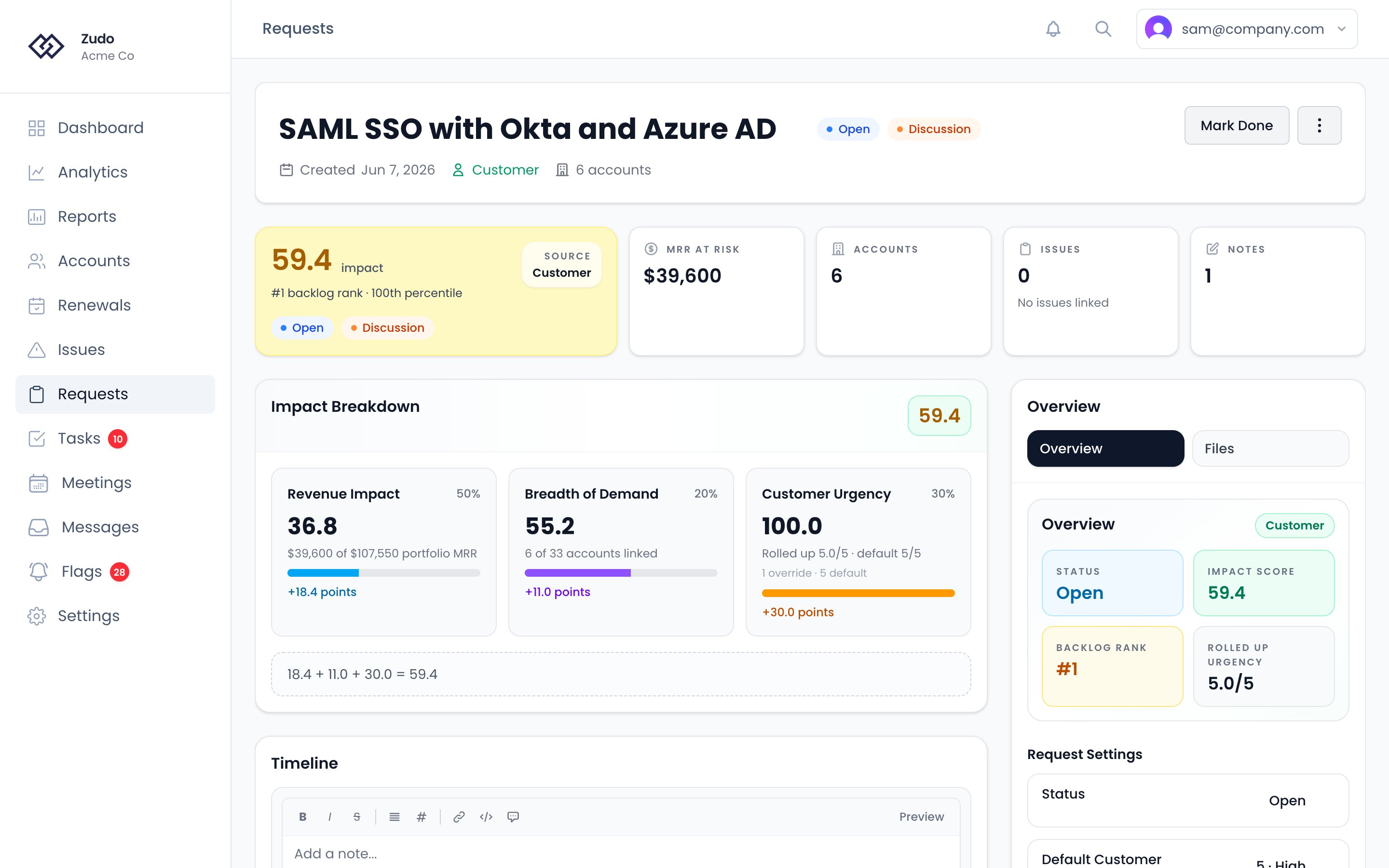
What a request tracks
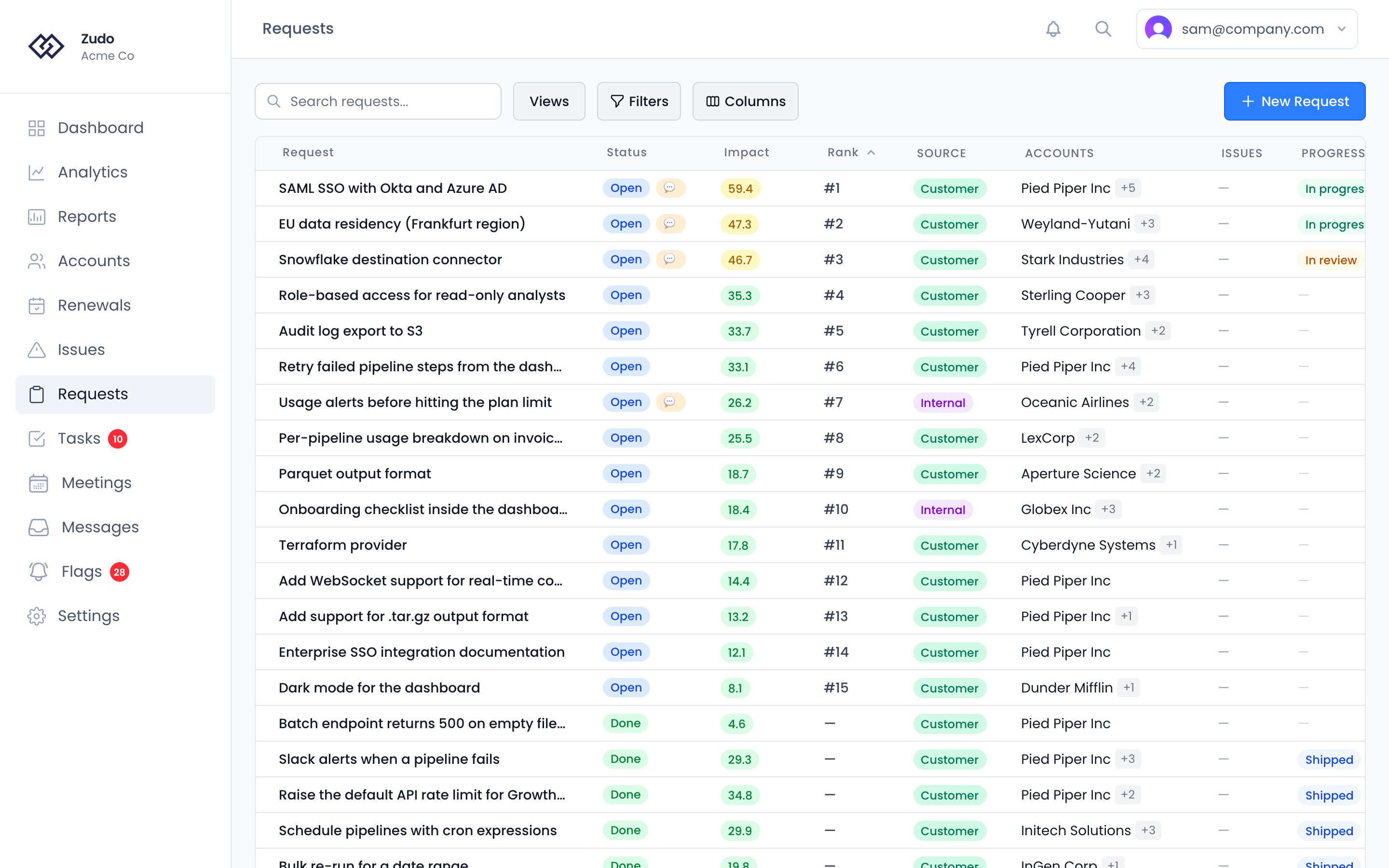
- Title - what the customer is asking for
- Status - Open or Done
- Impact Score - automatic 0-100 score (see Impact Scoring)
- Default Customer Urgency - your request-level 1-5 baseline urgency
- Rolled Up Urgency - the effective request urgency after linked-account overrides are applied
- Backlog Rank - where the request sits among open requests in your scope
- Linked accounts - one or more customer accounts associated with the request, each with optional urgency overrides
- Linked issues - engineering issues from Linear tied to this request
- Requested date - when the ask was first raised
- Discussion - internal markdown thread for notes and context from your team. Each note is attributed with author and timestamp.
- Needs Discussion flag - marks the request for cross-team alignment. Flagged requests show an orange indicator on the dashboard and in the request list.
- Files - supporting materials, screenshots, or reference docs attached to the request
Request statuses
Creating a request
From the Requests list - Go to Requests and click New Request. Fill in the title, and optionally notes, the default customer urgency (1-5), the requested date, and linked accounts and issues. From an issue - If a request is already tied to an engineering issue, create it from the issue detail page. The request is automatically linked to that issue.Linking accounts
Requests can be linked to multiple accounts. This directly affects Impact Score: the more MRR those accounts represent and the broader the demand across your portfolio, the higher the score. Each linked account can inherit the request default urgency or override it. Zudo rolls those account urgencies up into the effective request urgency used in scoring. Add accounts from the accounts field when creating or editing a request. When a request is marked Done, Zudo automatically creates follow-up tasks for each linked account and raises flags so you can close the loop with affected customers.Filtering and sorting
The Requests list supports filters by status, impact band, and date. The list is stack-ranked by backlog rank by default, and you can also sort by Impact Score or requested date. Assigned to narrows the list to one person: anyone on the team, Me, or Unassigned. A request has no assignee of its own — it is filtered through the accounts it is about, so “assigned to Ana” means the requests raised for accounts Ana is CSM of. Unassigned finds the requests whose accounts nobody owns. You can also filter by source - customer requests vs. internal requests - to separate what customers are asking for from what your team identified internally.Impact Scoring
How the 0-100 Impact Score, default and rolled-up Customer Urgency, and Backlog Rank work together.
Linear
Link engineering issues to requests and track resolution progress.