
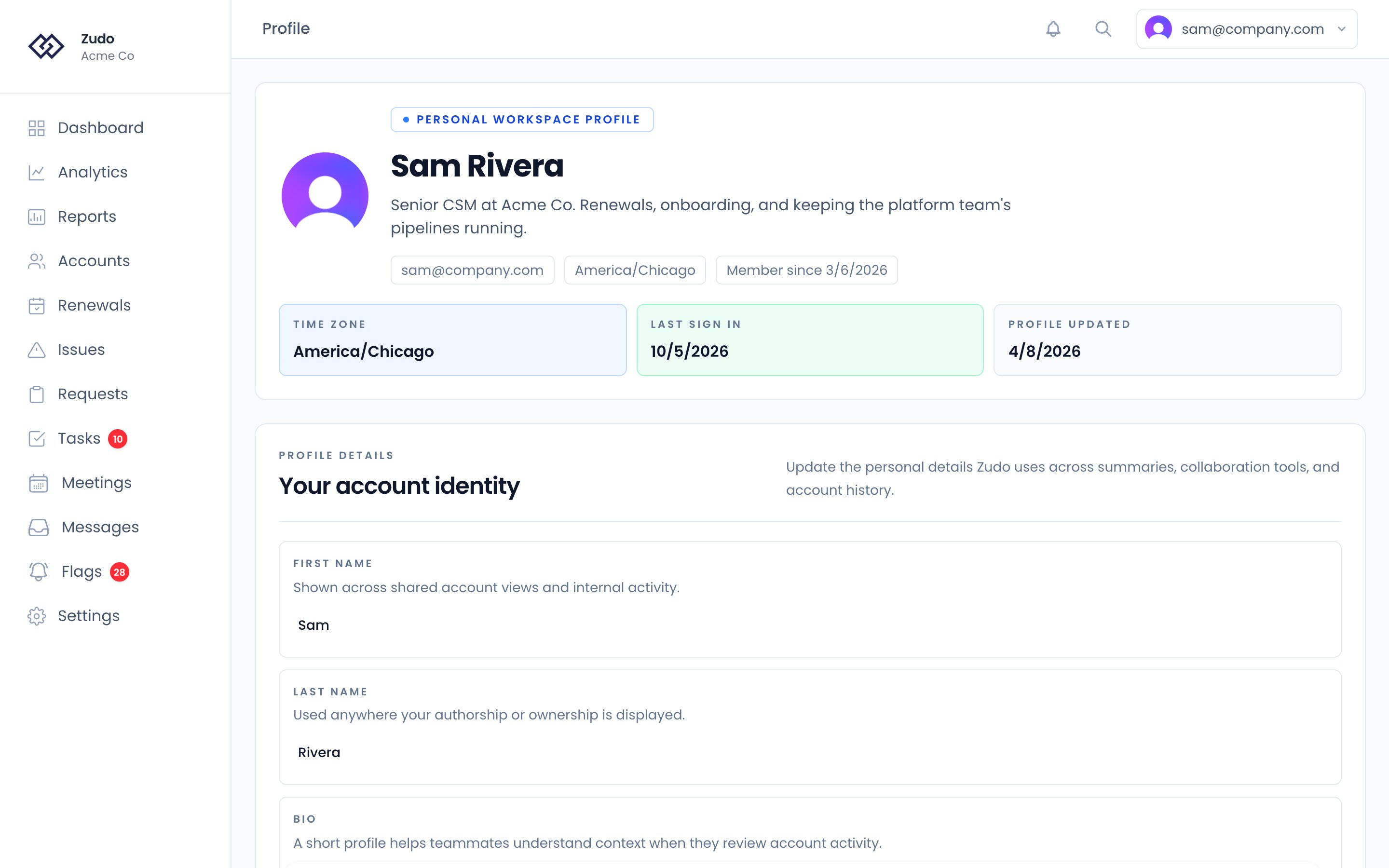
Profile fields
Timezone
Select your timezone from the dropdown. All dates and times throughout the app — dashboard stats, email timestamps, meeting times, relative dates — are displayed in your selected timezone. If no timezone is set, Zudo uses your browser’s timezone. Falls back to UTC if neither is available.Email forwarding address
Generate a unique address in the format{prefix}@inbound.zudo.so. Use it to BCC or forward emails into Zudo — they’ll be logged automatically and matched to the corresponding account based on contact email addresses.
- Click Generate forwarding address (only needed once).
- Copy the address and add it as a BCC in your email client, or set up a forwarding rule.
Account statistics
The profile page shows your member-since date, last sign-in, and last profile update — all displayed in your configured timezone.Preferences
Your notifications, how emails render, Things, and your Default Organization are on Settings → Preferences rather than on the profile page.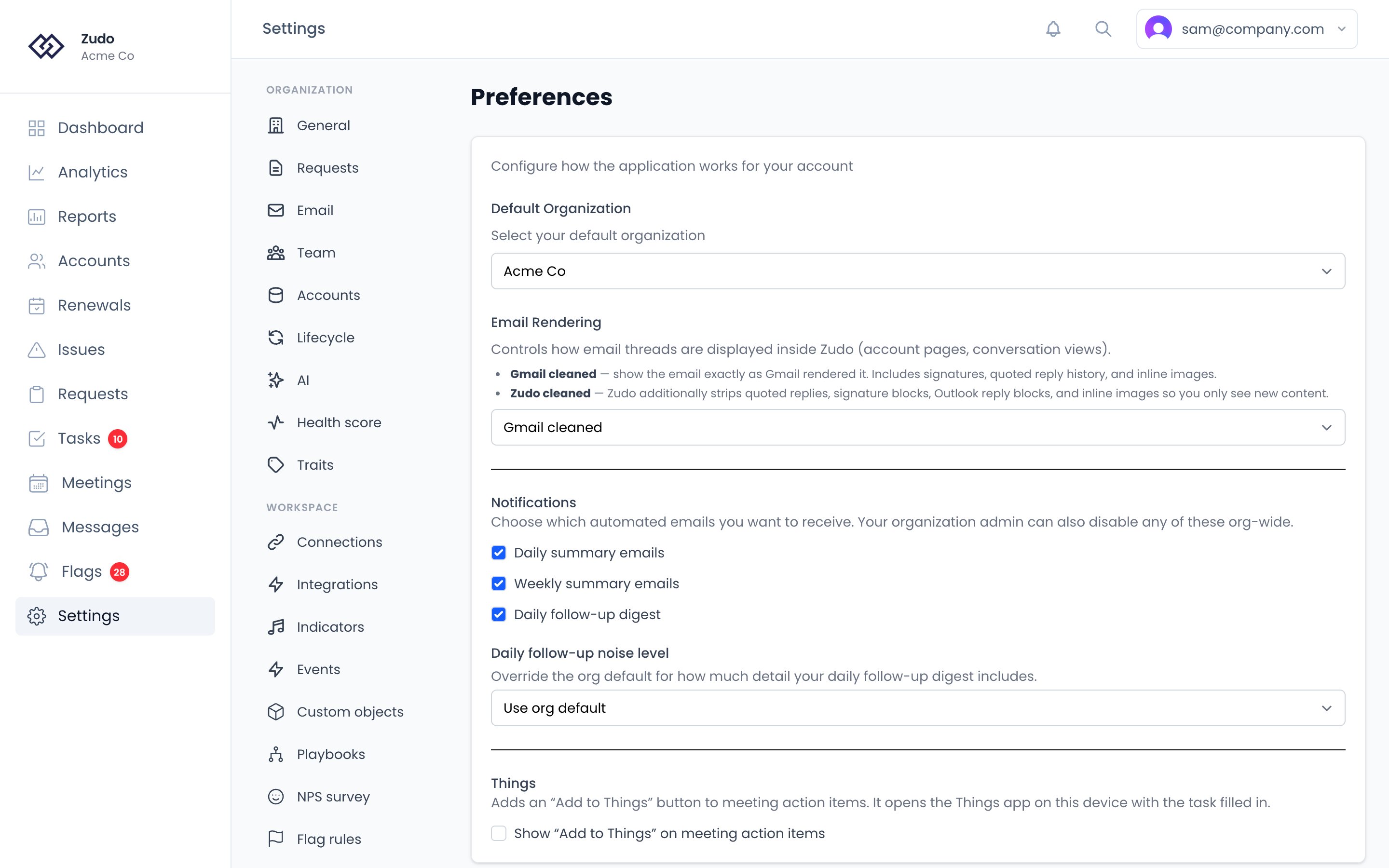
Notifications
Choose which automated emails you want to receive. Your organization admin can also disable any of these org-wide — when an org-wide toggle is off, no one in the org receives that email regardless of their personal setting.
If any account is assigned to you as CSM, your summaries are scoped to those accounts. If you aren’t a CSM on any account, you get the org-wide view.
Daily follow-up noise level
Override the org-wide digest sensitivity for your personal copy of the daily follow-up email.Email Rendering
Controls how email threads are displayed inside Zudo (account pages, conversation views).
This setting only affects in-app rendering. Outbound notification emails are unaffected.