
Analytics, Reports (Custom Reporting) and Renewals are turned on per
organization. If they’re missing from your navigation, ask support to turn them on for your organization.
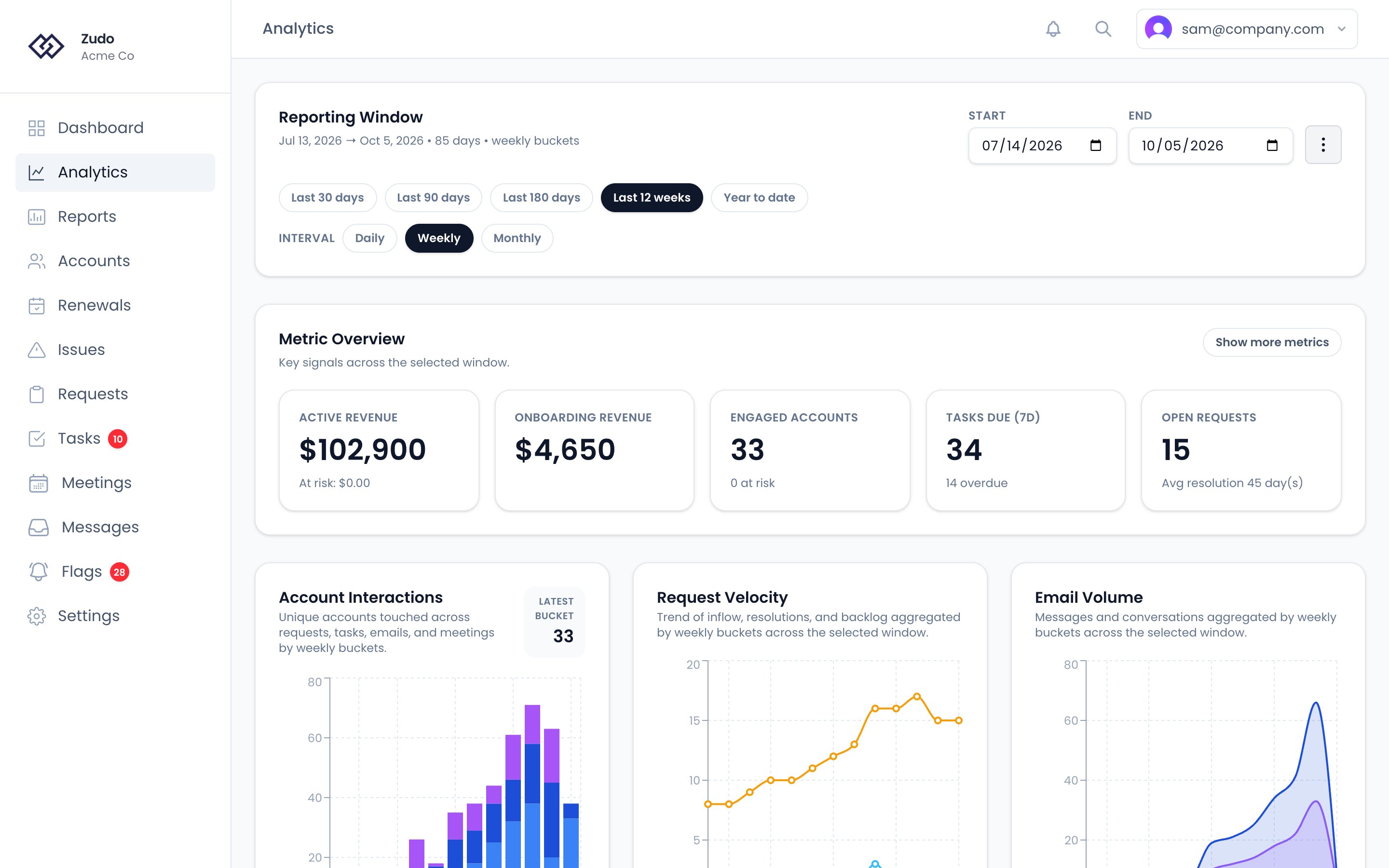
Charts
Lifecycle
At the bottom of the page, the Lifecycle section shows where your accounts are in their lifecycle:- Accounts and MRR by status: trial, onboarding, subscribed, churned and ignored.
- Churn by month: the MRR of accounts that churned in each of the last 12 months, by the date each one churned. Hover a month for how many accounts it was. MRR is each account’s as Zudo last recorded it, so an account whose MRR was set to zero after it left counts as zero.
- Trial conversion: of the trials that ended in the last 90 days, the share that moved to subscribed or onboarding rather than churned. Trials set to ignored don’t count either way.
- Due to churn: live accounts with a churn date still to come, their MRR, and the ten soonest.
Controls
- Reporting window — Last 30 days, Last 90 days, Last 180 days, Last 12 weeks or Year to date, or your own Start and End dates
- Interval — Daily, Weekly or Monthly bucketing
Communication Report
Open the ⋮ menu beside the dates and choose Communication Report to count the unique accounts you communicated with during a date range. Pick the range and click Generate Report. The report shows:- Accounts Communicated With (total)
- Accounts with Email
- Accounts with Meetings
Renewals
The Renewals page, in the main navigation, lists upcoming renewals in date order with the MRR that renews in each window.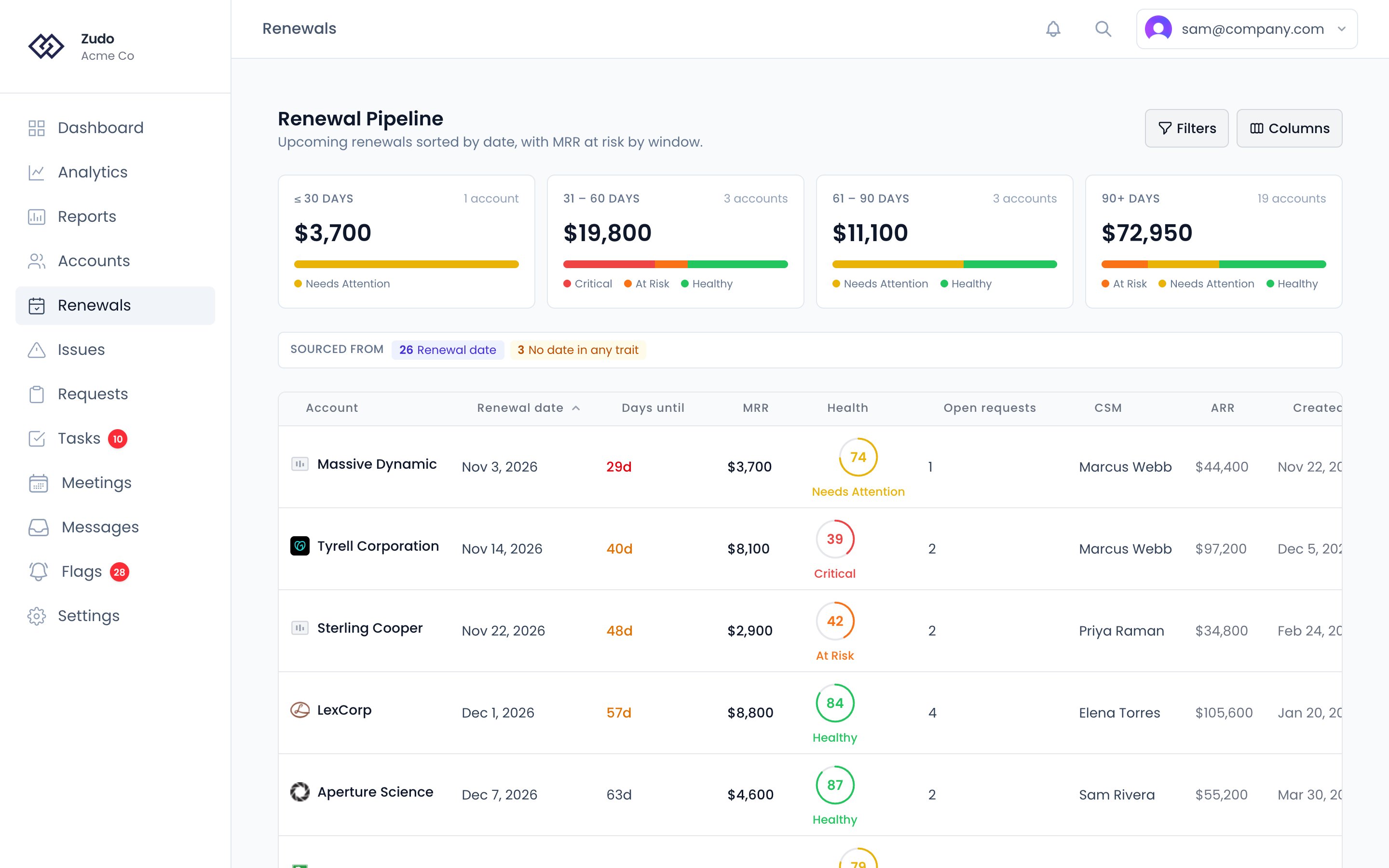
- Windows. Four cards show the renewals due in 30 days or less, 31–60 days, 61–90 days and more than 90 days: how many accounts, their MRR, and a bar splitting that MRR by health tier. A renewal date that has already passed counts in the first card.
- Sourced from. How many accounts took their date from each trait in your priority list, how many had no date in any of them, and how many your filter left out.
- The table. Account, renewal date, days until it, MRR, health, open requests, CSM, and the trait the date came from. Add any trait as a column from the column picker. Filters narrows the list by days until renewal (with presets for the next 30, 60 or 90 days, and overdue), MRR, health tier, open requests, CSM, source or any trait.