
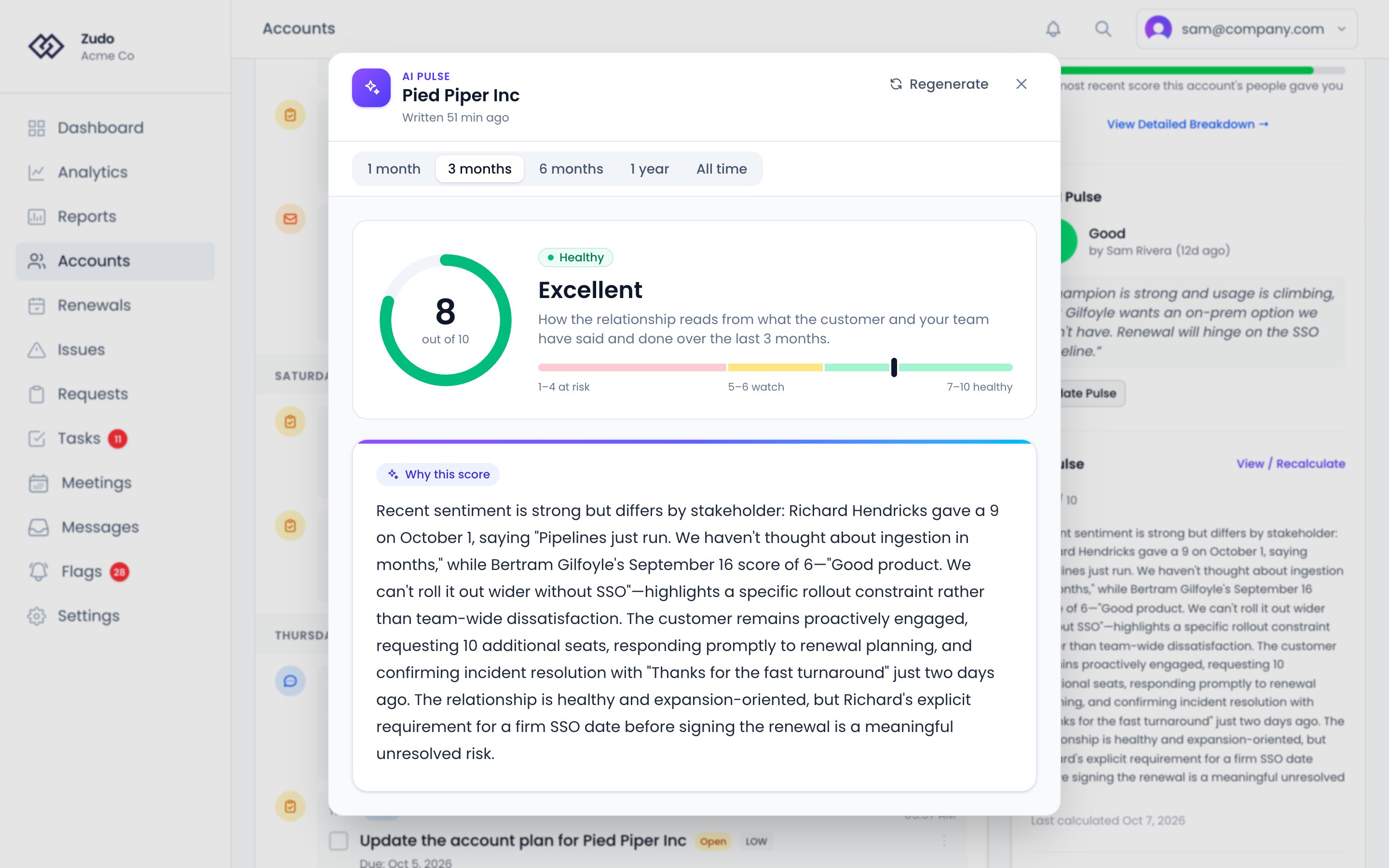
Where to find it
AI Pulse appears on the Overview tab of an account’s sidebar, under CSM Pulse, with its score out of 10, a short assessment and when it was last calculated. Click View / Recalculate (or Calculate, if it has never run), or choose AI Pulse from the account’s ⋮ menu, to open the full assessment. The assessment shows the score on a ring and on a scale of 1 to 10, read in three bands: 1–4 at risk, 5–6 worth watching and 7–10 healthy. Under it, Why this score is the AI’s reasoning. Choose the range it reads from the bar under the title.How it works
AI Pulse reviews recent account activity and generates a short, readable summary of what’s happening and what to pay attention to. It looks at the same signals your health score uses — meetings, conversations, requests, engagement patterns — but interprets them qualitatively, giving you context and nuance. What it reads, over the range you choose (three months by default):- Conversations: up to 30, email, Help Scout and Slack alike, with the latest six messages of each. Every message says whether your team or the customer wrote it, and one that says neither is left as unknown rather than counted as the customer’s.
- Meetings: up to 15 that took place in the range. A meeting still to come isn’t counted.
- Requests: every request still open, whenever it was opened, plus those opened in the range.
- Where things stand: today’s date, the account’s lifecycle status, and how many days since the customer last wrote and since your team did. Silence and slow replies are measured against these, and heavy support traffic while onboarding reads as normal.
AI Pulse vs CSM Pulse
These are complementary, not redundant:When to rely on AI Pulse
- You haven’t checked in on an account recently — get a fast read without digging through the timeline
- The score looks fine but something feels off — AI Pulse may surface patterns in engagement frequency or email volume that explain the disconnect
- You’re taking over an account — get a quick narrative without reading every note and meeting recap