Adding and removing accounts by hand
A segment’s conditions decide most of its membership, but you can override either way from the Segments section of the Indicators & segments tab on any account page.- Adding an account, with Add to a segment, puts it in the segment even though the conditions don’t match it.
- Removing an account takes it out. If the conditions still match, it’s held out — the segment keeps evaluating, and the account keeps being kept out until you add it back.
Building a segment
On the Accounts page, open the ⋮ menu and choose Create Segment to open the segment builder. Each segment needs a name (unique per organization), an optional description, and at least one condition.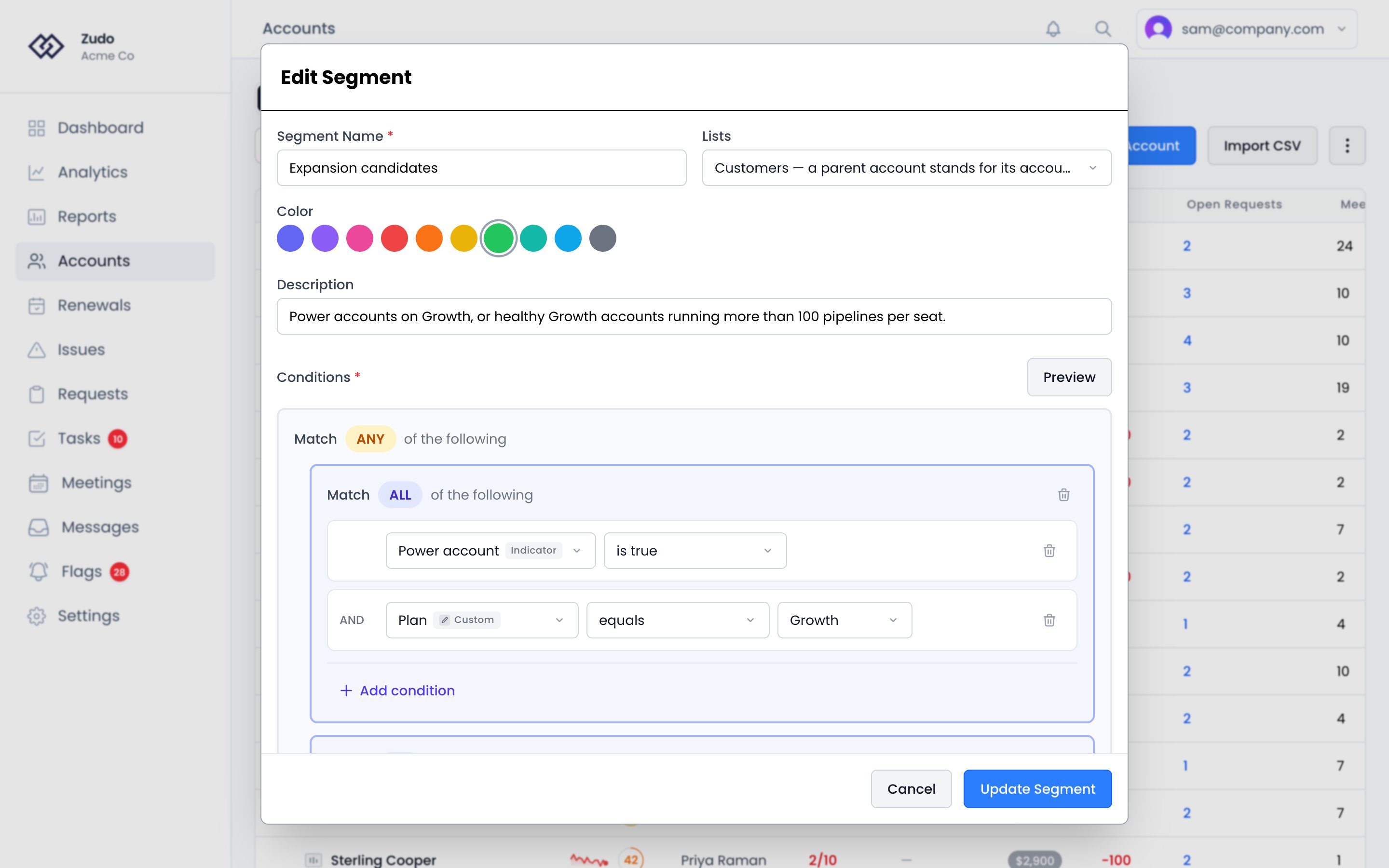
What a segment lists
Lists decides whether a segment counts customers or accounts:
Customers is the default. A parent account carries its accounts’ health, indicators and traits, so it’s judged on the customer’s figures rather than on an empty shell. If your organization has no parent accounts the two options list exactly the same accounts.
Condition fields
Zudo traits come first in the field list, under Zudo. They’re what Zudo itself knows or works out about every account, so they need nothing connected or typed in:- Last Meeting is the newest meeting that has already started, so a meeting booked for next week doesn’t make a quiet account look busy.
- Last Active follows the same sources as the account page and the health score, and a date someone sets by hand on the account wins.
- Days Since Customer Wrote and Days Since We Wrote count whole days since someone at the customer last wrote to you, and since your team last wrote to them, in email, support or Slack. For an account in a parent account they read the whole parent, because one customer’s conversations often sit on just one of its accounts. A side that has never written is counted from when the account was added, so a customer who has never been in touch reads as a long silence.
- Lifecycle Status and Health Tier offer your organization’s own names for them.
- A Zudo trait with no value, such as Renewal Date on an account the pipeline has no date for, is not set.
There are three NPS numbers rather than one, because “NPS” means three different things —
the account page explains which is which. An account nobody has answered for has no
value for any of them, so
is not set is how you find the accounts you have never heard from, and a condition like
NPS Score less than 0 will not quietly sweep them in.
The four request fields count open requests by how far the code behind them has got, which Zudo knows from a connected GitHub repository. A stage on a closed request is history, so it is not counted — otherwise every customer who ever had something shipped would match a segment about work in flight. For the same reason Requests Shipped means shipped and still open: the code is out and the request is waiting on something else, usually an issue in your tracker, which is a request worth finding.
Traits — Every trait on an account is a condition field, whatever put it there: your own custom traits, traits synced from a connected platform, traits sent in with your product events from Segment or PostHog, and smart traits. Operators match the trait’s data type.
Two sources can own the same trait name — a
sessions_30d synced from your CRM and a sessions_30d sent with your
product events. Zudo reads the product one, and that is the one the field list offers, so a condition always matches
the value shown on the account.Smart trait conditions compare the raw value, not the formatted one. A trait that displays as
$1,200 or 2.00x
is 1200 and 2 to a condition, so write thresholds as plain numbers.- A boolean indicator paired with
is true/is false→ matches accounts where the indicator currently passes its threshold. - A number indicator paired with
greater than 5→ matches accounts whose indicator value exceeds 5.
So “has an open escalation” is number of records is greater than 0, and “their contract runs out soon” is Contract — Expires on (latest) is within the next 30 days.
Latest means the record with the newest date on it, not the one entered most recently. Archived records are
ignored by both kinds of condition. There is no way yet to ask about records matching a filter — “has a record whose
severity is high” cannot be written, only “the newest record’s severity is high”.
- Function (
Count of events/Unique users/Sum of property) - Event name
- Optional payload-property filters (AND-only)
- Time window (
Rolling N days,All time,Since first seen) - An operator + value to compare the aggregate against
Change over time
Number conditions can compare an account’s value with what it was, instead of with a fixed threshold. Pick a number field, pick one of the four change operators, then set the amount and how far back to look:
So “sessions this week dropped 20% from a week ago” is Sessions 7d — decreased by at least (%) — 20 from 7 days ago. This works on traits, indicators, MRR and the activity counts — anything a number condition can already read.
Zudo records each account’s numbers once a night and keeps 90 days, so a condition can look back up to 90 days. A change condition compares two of those nightly readings: the most recent one, and the one taken the chosen number of days before it. Both are taken at the same time of night, so “7 days ago” always means exactly seven days, and the condition’s answer changes once a day, when the next reading is taken.
That also means a change shows up after the next nightly reading, not the moment it happens. If an account’s sessions drop this afternoon, a change condition sees it after tonight’s reading. A condition with a fixed threshold, such as Sessions 7d — equals — 0, reads the current value and reacts as soon as the data arrives.
History starts the day this arrives in your organization, not before it. A condition looking back seven days matches
nothing until seven days of history exist, and an account created yesterday has nothing to compare against either. An
account whose value was zero on the earlier day never matches a percentage condition, because every percentage of zero
is infinite — use the plain-number form for those.
Operators
A date you pick means the whole of that day. “Is before 1 December” stops at the
start of the 1st, “is after 1 December” starts on the 2nd, and a range that ends
on the 1st includes everything that happened during it.
The Accounts table filters use this
same vocabulary, so a filter you build on the table reads the same way as a
segment condition.
AND / OR logic
Toggle between Match ALL (AND) and Match ANY (OR) at the top of the condition list. You can also nest one level of sub-groups with their own AND/OR operator — for example, “Match ALL of: MRR > 5000, Match ANY of: churned = true, health score < 40.”Color
Pick a color swatch for the segment (10 presets). The color appears as a dot next to the segment name in the dropdown.Preview
Before saving, click Preview to see how many accounts match and a sample list with names, MRR, and health scores.Applying a segment
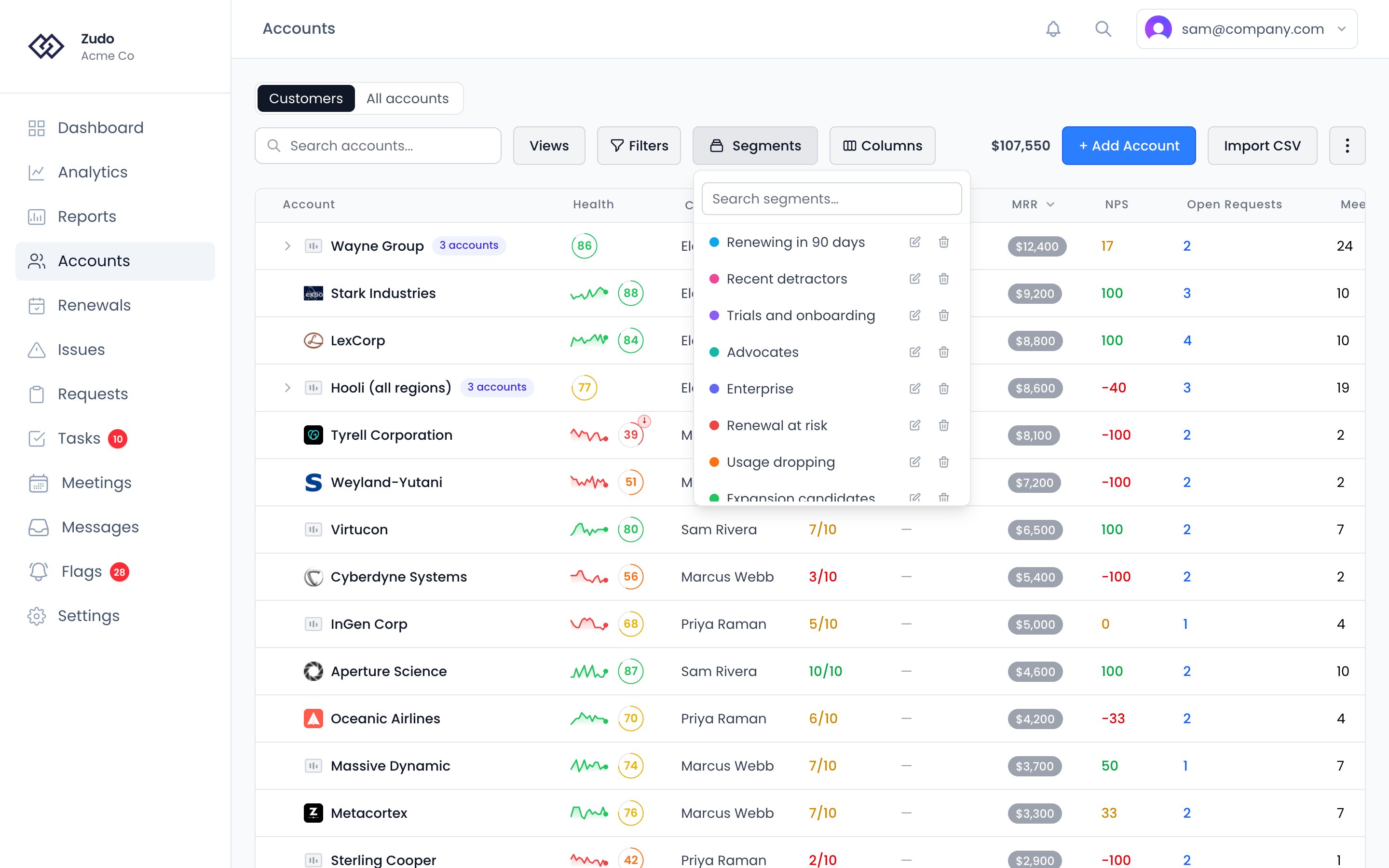
Click Segments on the Accounts page and pick a saved segment. The button appears once your organization has at least one segment, and with seven or more the menu has a search box at the top. The table filters server-side to show only matching accounts. The active segment persists across sessions.