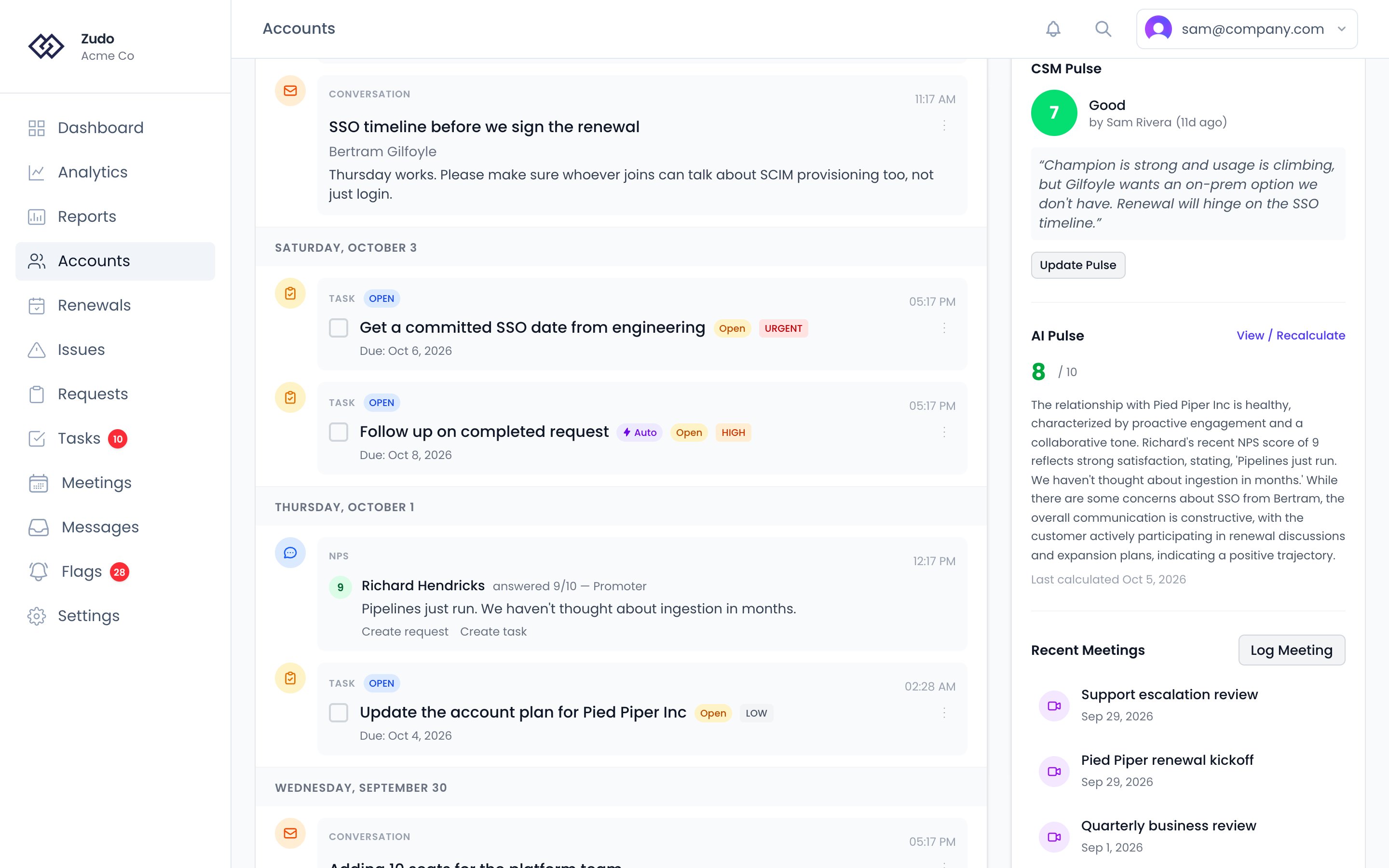
CSM Pulse is your way of telling Zudo what you know that the data doesn’t. It’s a 1–10 score you set on an account, backed by a required note, that feeds into the health score calculation and can override what the automated metrics are showing.

When to use it

The five automated health factors — email response time, open requests, meeting frequency, issue resolution, and recent activity — are objective, but they don’t capture everything. Set a CSM Pulse when you have direct knowledge of something material that the data hasn’t caught up to yet. Examples:
  • The executive sponsor just left the company
  • The customer mentioned they’re evaluating alternatives
  • Budget was frozen for the remainder of the quarter
  • A renewal conversation went poorly
  • The customer just signed a multi-year expansion deal
  • The account is self-sufficient and rarely engages, but is a happy, healthy customer

How to set it

1

Open the account page

Navigate to the account you want to assess.
2

Find the CSM Pulse section

Scroll to the CSM Pulse section on the account page.
3

Enter a score and note

Enter a score from 1 to 10 and add a note explaining your assessment. The note is required — it creates a record of your reasoning for you and your team.
4

Save

Save the Pulse. It takes effect in the health score immediately.
You can see when the Pulse was last updated and by whom, so teammates always know whose assessment they’re looking at.

Score scale

ScoreLabelWhat it means
10OutstandingExceptional relationship; customer is thriving
9ExcellentVery strong; minimal concerns
8Very goodSolid relationship with minor areas to watch
7GoodGenerally healthy, some things to follow up on
6Above averageMostly fine, a few concerns
5NeutralNeither good nor bad; uncertain
4Below averageNoticeable issues that need attention
3ConcerningSignificant problems; proactive action needed
2Very concerningSerious risk; immediate attention required
1CriticalAccount is in crisis or imminent churn risk

Expiration

CSM Pulse scores are only valid for a limited time. After they expire, the Pulse is excluded from the health score calculation and its weight is redistributed to the other factors.
Score rangeExpiration
2–9 (standard)90 days
1 or 10 (extreme)30 days
Extreme scores (1 or 10) expire after 30 days. Because these scores have an outsized effect on the health calculation, Zudo requires you to reconfirm them more frequently to prevent stale overrides from persisting.
Plan to revisit and refresh your Pulse when you get a “stale” warning on the account.

Extreme Pulse: when conviction overrides the data

When you set a Pulse of 1 or 10, Zudo applies special handling called Extreme Pulse Amplification:
  • Pulse = 1 guarantees the account is placed in the Critical health tier, no matter how good the automated metrics look.
  • Pulse = 10 guarantees the account is placed in the Healthy health tier, even if the automated metrics are poor.
This is intentional. If you know a customer told you they’re switching vendors next month, a score of 76 (“Needs Attention”) doesn’t reflect reality. Pulse = 1 makes sure the account shows as Critical so it gets the right level of attention. In addition to the tier guarantee, Zudo also amplifies the Pulse weight in the underlying calculation (1.5× by default) so your assessment carries more influence. When Extreme Pulse Amplification is active, a small indicator appears on the health score gauge:
  • ↑ (green) — score was boosted because Pulse = 10
  • ↓ (red) — score was reduced because Pulse = 1
Learn more about how this interacts with the overall health calculation in Health Scoring.