
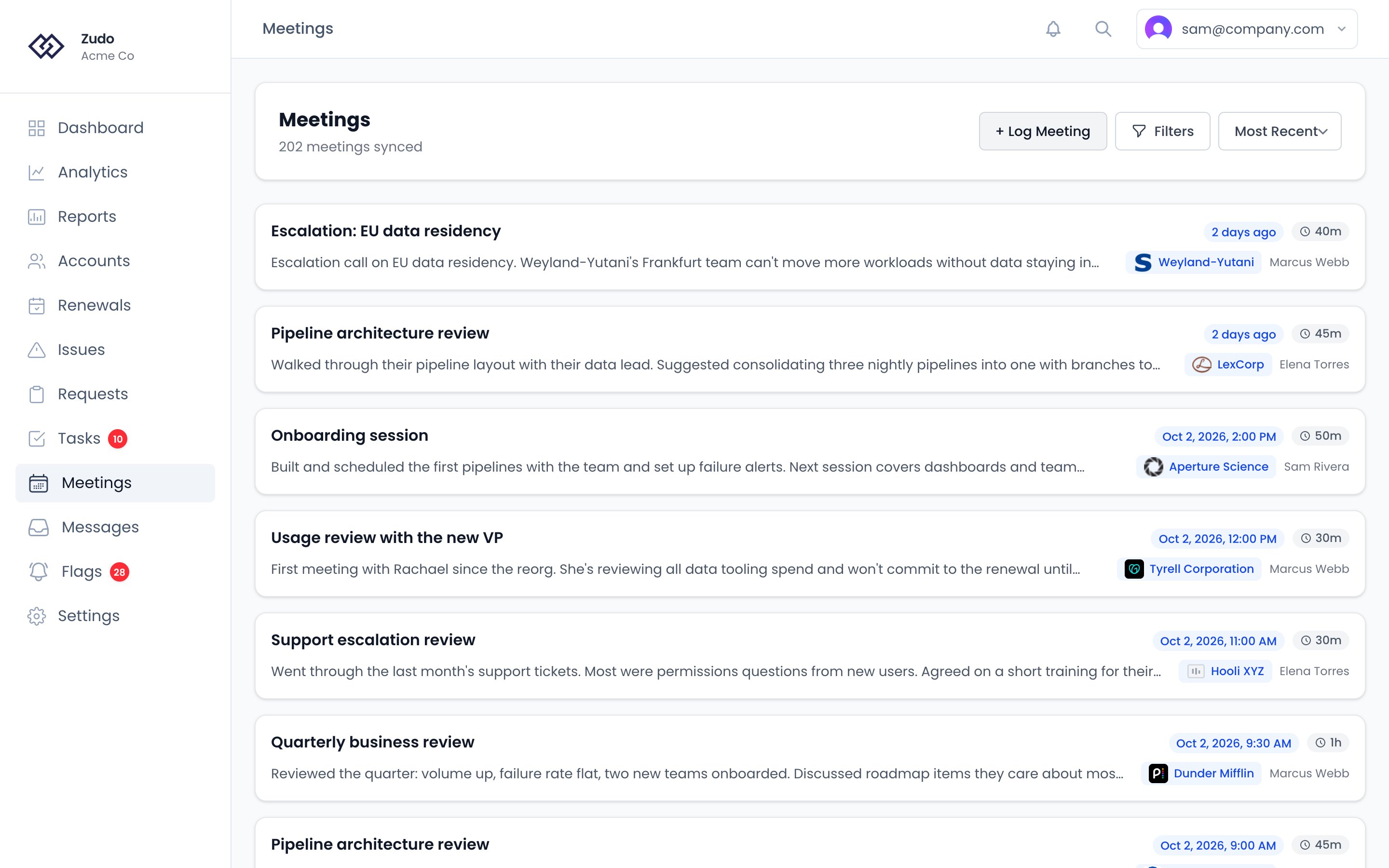
Meeting list
Meetings display as cards showing title, date, duration, an overview snippet, the linked account and its CSM. Use the controls at the top to search, filter, and sort. Nobody is assigned to a thread or a meeting directly. Whoever is the CSM of the account it is with is responsible for it — so handing over one conversation means changing who owns the account, not the conversation. When a search matches the body of a transcript, a Transcript snippet is shown beneath the overview with the matched phrase highlighted, and clicking through opens the meeting straight to the highlighted moment in the conversation.Filters
Sort options
- Most Recent (default)
- Oldest First
- Title A–Z / Z–A
Meeting detail page
Click any meeting to open the detail view.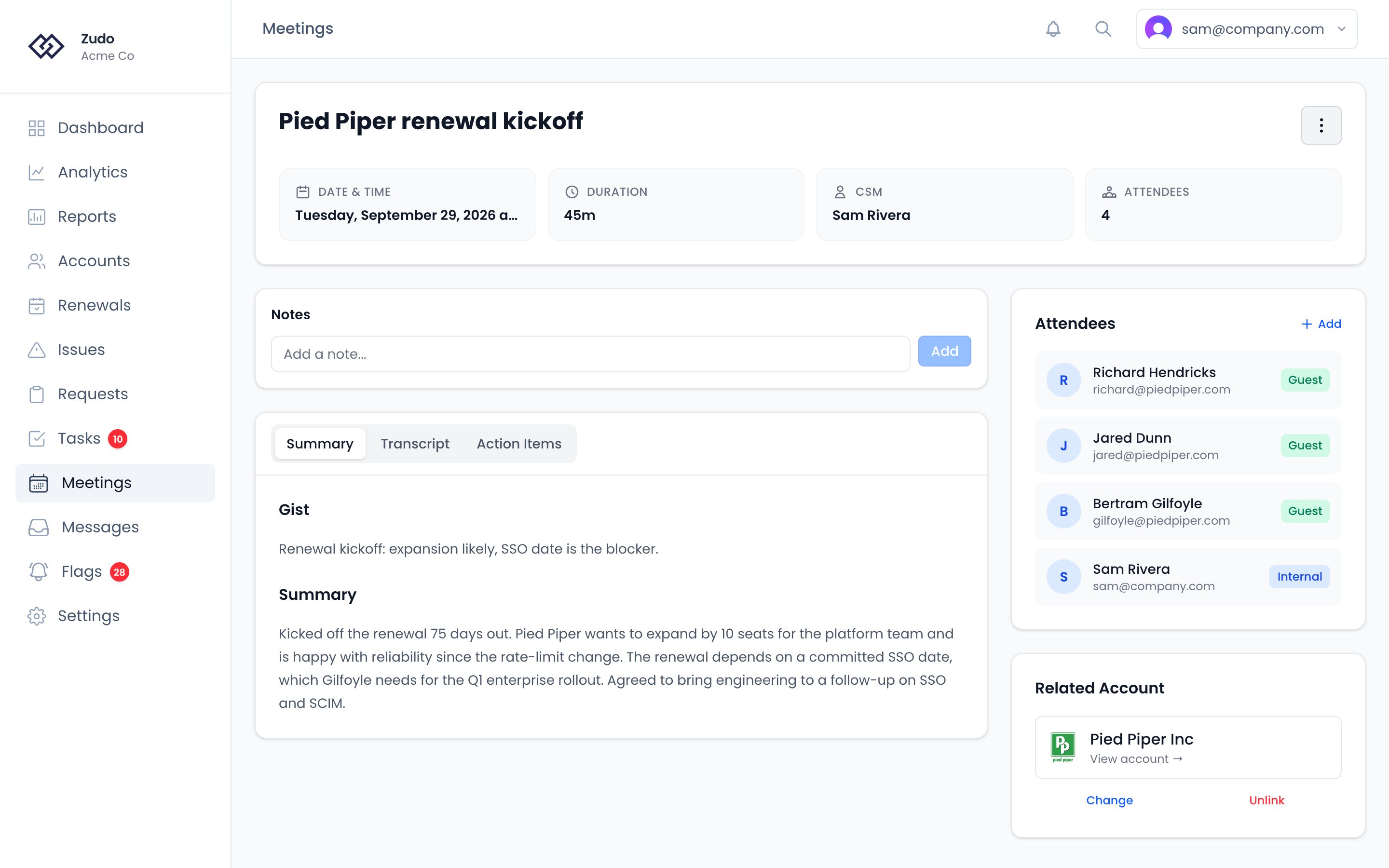
Header
Date and time, duration, the account’s CSM, and attendee count. A dropdown menu provides quick links to view the meeting in Vitally or Fireflies (if synced), refresh details from Fireflies, or delete the meeting.Notes
Above the main content, a shared Notes thread lets you and teammates leave notes on the meeting. Notes are attributed and timestamped; only the author can delete their own note.Content tabs
The main meeting content is grouped into a single card with three tabs: Summary — Combines the bullet-point Gist of key takeaways with the longer AI-generated narrative Summary. Transcript — The full conversation, rendered as chat-style speaker bubbles with timestamps, color-coded per speaker. A search box in the tab header lets you find any phrase in the transcript: matches are highlighted in yellow, the active match in orange, andEnter / Shift+Enter (or the up/down arrows) jump between hits. The tab is hidden if no transcript or sentences are available for the meeting.
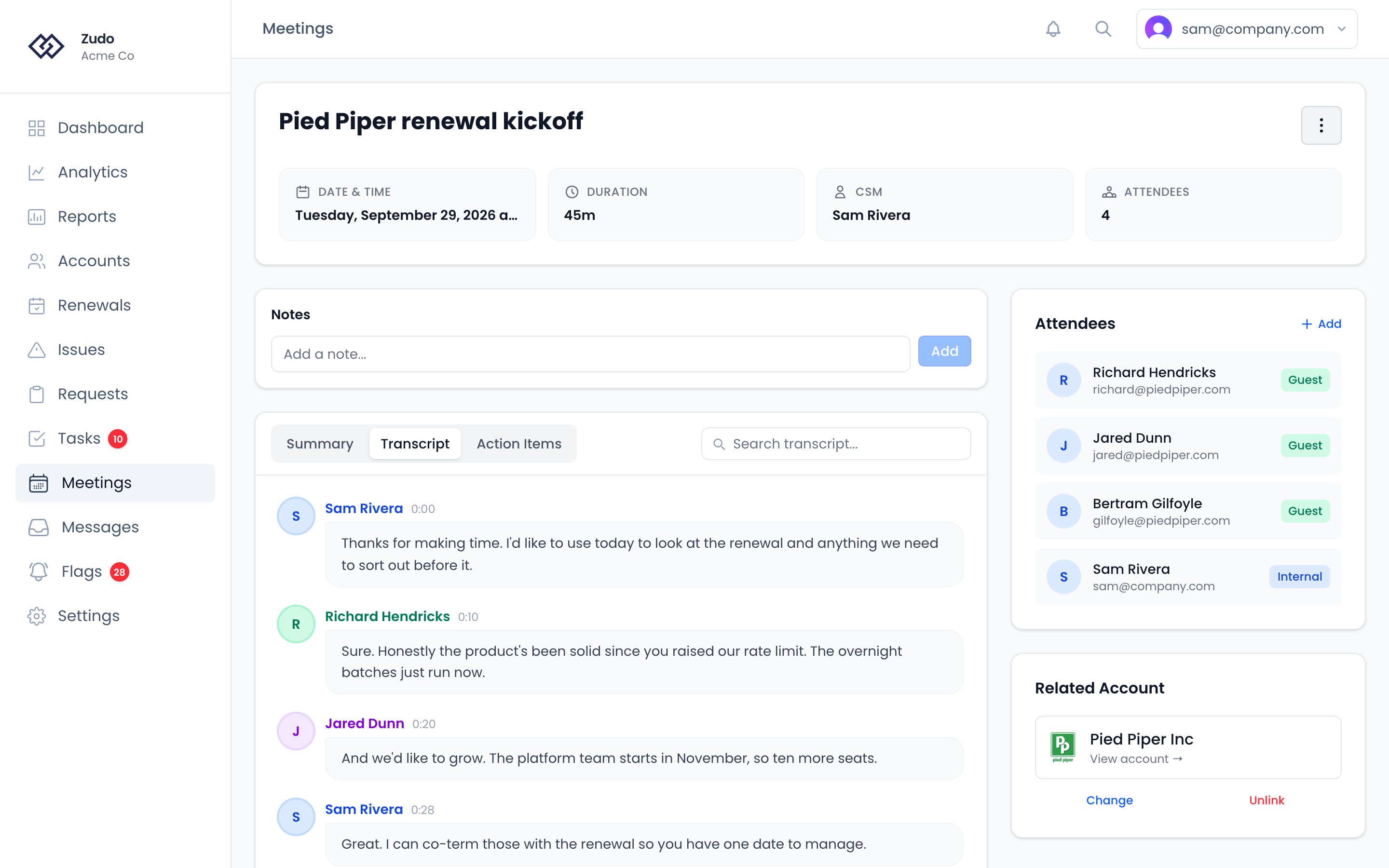
Sidebar
Attendees — Everyone on the call, with an “Internal” or “Guest” badge. Click Add to add attendees manually. Related Account — The account this meeting is associated with. Zudo auto-links meetings by matching attendee email domains to your contacts. You can also link one with Link Account, or Change or Unlink the one it has. Related Issues — Issues linked to this meeting, if any.Logging a meeting manually
Click + Log Meeting on the Meetings page, or Log Meeting in an account’s ⋮ menu. Fill in:- Title (required)
- Account (optional, searchable)
- Date, start time, end time (optional)
- Overview (optional)
How meetings affect health scoring
Meeting frequency is one of the five health score factors. Accounts you meet with regularly score higher in that dimension.Fireflies Integration
Set up automatic meeting sync from Fireflies.ai.
Meeting Prep
Generate an AI pre-call briefing from account data.